UI vs UX: What is the Difference?
UI and UX are often mentioned together, but they focus on different parts of a digital product. In this article, I explain how they work, why both matter, and how I use them together in my design process.
By Admin
July 9, 2026
5 min read
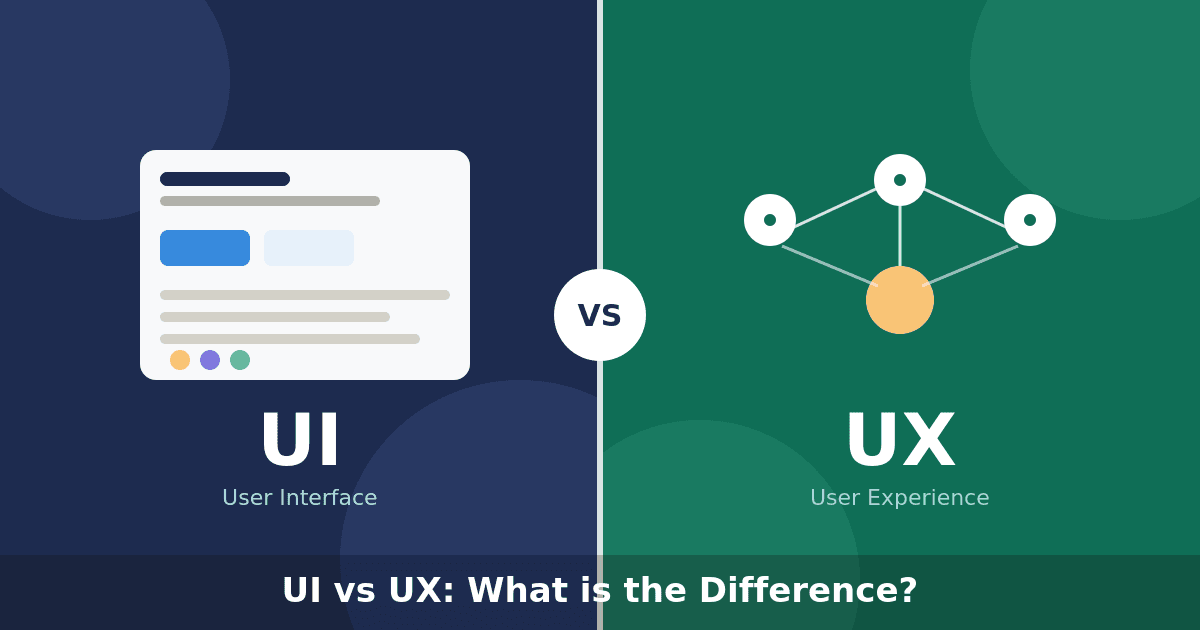
UI and UX are two terms I hear almost every day in the design industry.
They are often written together as UI/UX, which can make them sound like the same thing.
However, they focus on different parts of the user experience.
UI is mainly concerned with how a digital product looks and responds visually. UX focuses on how the product works, how easy it is to use, and how people feel while using it. In my design process, I never treat them as completely separate.
A product needs both good UI and thoughtful UX to create an experience that feels clear, useful, and enjoyable.
UI focuses on the interface, while UX considers the complete experience behind it.

What Is UI Design?
UI stands for User Interface.
It refers to the visual and interactive elements that people use when interacting with a website, mobile application, or digital product.
UI design includes elements such as:
- Colors
- Typography
- Buttons
- Icons
- Forms
- Cards
- Navigation
- Images
- Spacing
- Animations
When I work on UI design, I think about how these elements should look, feel, and respond.
For example, a button should be visually noticeable enough to attract attention. It should also look clickable and provide feedback when someone interacts with it.
A strong interface helps users understand what they can do without needing additional explanation.
What Is UX Design?
UX stands for User Experience.
It focuses on the complete experience someone has while using a product.
UX design considers questions such as:
- Can users find what they need?
- Is the navigation easy to understand?
- Are there unnecessary steps?
- Does the product solve the right problem?Can users complete their goals easily?
- Are error messages helpful?
- Does the experience feel frustrating or smooth?
When I work on UX, I focus less on decoration and more on structure, behavior, and user needs.
A screen may look simple, but many UX decisions can exist behind it.
The layout, flow, labels, content order, and number of steps are all part of the user experience.
The Simple Difference Between UI and UX
The easiest way I explain the difference is:
UI is what people see and interact with. UX is how the complete experience works and feels.
For example, imagine a food delivery application.
The UI includes:
- The color of the buttons
- The style of the food cards
- The typography
- The icons
- The checkout screen
- The visual layout
The UX includes:
- How users search for food
- How quickly they can place an order
- How filters are organized
- How payment works
- How users track their delivery
- What happens when something goes wrong
The interface may look beautiful, but users can still have a poor experience if ordering food takes too many steps.
The opposite can also happen.
A product may work correctly, but an outdated or confusing interface can make it feel difficult and unprofessional.
UX defines the journey, while UI turns that journey into a clear visual interface.

How UI and UX Work Together
I see UI and UX as two parts of the same process.
UX creates the structure. UI gives that structure a clear and recognizable visual form.
A typical design process may include:
1. Understanding the User
Before designing screens, I first need to understand who will use the product.
I consider their goals, expectations, habits, and possible problems.
Without this step, the design may look good but solve the wrong problem.
2. Planning the User Journey
Next, I map out how users will move through the product.
For example:
- Where do they begin?
- What action do they take first?
- What information do they need?
- What happens after they complete an action?
This helps me identify unnecessary steps and possible points of confusion.
3. Creating Wireframes
Wireframes allow me to explore the structure before focusing on visual details.
At this stage, I think about:
- Content placement
- Navigation
- Page hierarchy
- Button positions
- User flows
- Screen relationships
The goal is to make sure the experience works before making it visually polished.
4. Designing the Interface
After the structure feels clear, I develop the visual interface.
This includes selecting:
- Colors
- Typography
- Icons
- Components
- Imagery
- Spacing
- Interaction styles
The UI should support the user journey instead of distracting from it.
5. Testing the Experience
I also review how people interact with the design.
Sometimes something that feels obvious to me may not be clear to a new user.
Testing helps reveal problems such as:
- Confusing labels
- Hidden actions
- Unclear navigation
- Difficult forms
- Unnecessary steps
These findings can improve both the UI and the UX.
Can a Product Have Good UI but Poor UX?
Yes, and it happens quite often.
A product may have beautiful colors, smooth animations, and modern components, but still feel difficult to use.
Examples include:
- A checkout process with too many steps
- Navigation that hides important pages
- Buttons with unclear labels
- Forms that ask for unnecessary information
- Important actions placed in unexpected locations
The interface may look impressive in a portfolio image, but the real experience can still frustrate users.
This is why I never judge a design only by how attractive one screen looks.
I also consider what happens before and after that screen.
Can a Product Have Good UX but Poor UI?
A product can be useful and easy to navigate while still having a weak visual interface.
It may include:
- Outdated typography
- Inconsistent buttons
- Poor spacing
- Low-quality icons
- Weak contrast
- Unclear visual hierarchy
Users may still complete their tasks, but the product can feel less professional or trustworthy.
Good UX helps people accomplish their goals.
Good UI helps them understand the product and feel confident while using it.
Strong digital products combine research, structure, visual design, and testing.

Common Misunderstandings About UI and UX
There are several misunderstandings I often notice.
UI Is Not Only About Making Things Beautiful
UI design also needs to support readability, hierarchy, interaction, and accessibility.
A visually attractive interface is not useful when users cannot understand it.
UX Is Not Only About Wireframes
Wireframes are one part of UX design.
UX can also include user research, testing, content structure, navigation, interaction design, and product strategy.
UI and UX Are Not Competitors
One is not more important than the other.
They solve different problems but work toward the same goal: creating a better experience for the user.
How I Balance UI and UX
When reviewing a design, I usually ask two groups of questions.
For UX, I ask:
- Is the goal clear?
- Is the journey simple?
- Can users find important information?
- Are there unnecessary steps?
- Does the product solve a real need?
For UI, I ask:
- Is the hierarchy clear?
- Are components consistent?
- Is the content readable?
- Are important actions visually noticeable?
- Does the design reflect the brand?
When both sides work together, the product feels natural.
Users do not need to think about the design. They can simply focus on what they want to accomplish.
Final Thoughts
UI and UX may focus on different areas, but I believe they should always be designed together.
UX creates the foundation by understanding users, organizing information, and planning the journey.
UI transforms that foundation into a clear, consistent, and engaging interface.
A beautiful product is not enough if it is difficult to use.
A functional product may also struggle to build trust if its visual experience feels unfinished.
At Metamorph Lab, I aim to balance both sides.
Every digital product should look strong, work clearly, and help users complete their goals with confidence.
More articles
5 UI Design Mistakes I Always Try to Avoid
A beautiful interface is not always easy to use. Here are fi...
By Admin

Why Good Design Builds Trust
Good design is more than visual appeal. It helps brands comm...
By Admin

Where Is the Line Between Friendly and Inappropriate at Work?
Navigating workplace interactions can be tricky—what starts ...
By Admin

Toxic Work Culture Isn’t Always Obvious
Not all toxic work cultures are loud or obvious. Sometimes, ...
By Admin